AI is becoming part of almost every website we visit, but not everyone is on board with the change. While some of us enjoy having a digital assistant ready to help, many others are worried about their data being shared or are simply tired of constant pop-ups. Mozilla has been paying close attention to these concerns and is launching a major update to put users back in the driving seat.
On 24 February 2026, the company will release Firefox 148. This version introduces a dedicated AI controls section in the desktop settings. This isn’t just a minor tweak; it includes what experts are calling a “global kill switch” that lets you opt out of AI features entirely.
Picking what works for you
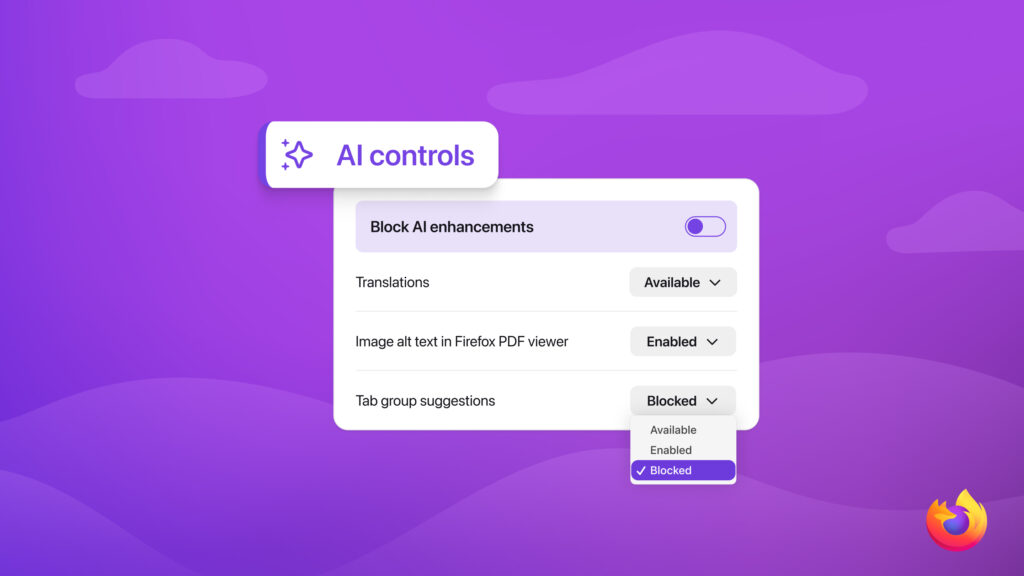
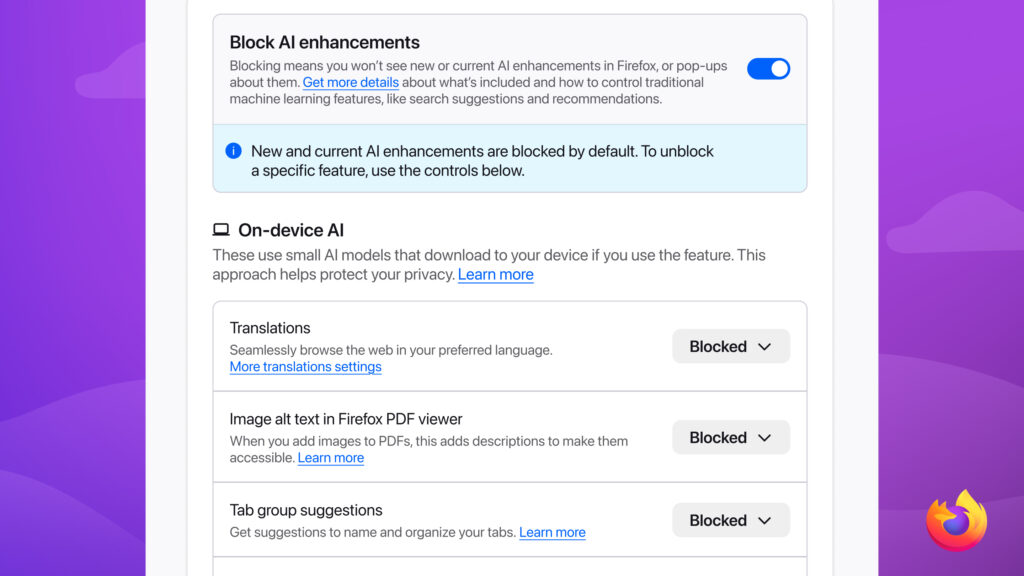
If you go into your desktop settings, you’ll find a new toggle called Block AI enhancements. If you flip this switch, Firefox shuts down all current and future AI tools in one go.
This move is about more than just a clean screen. When AI features are active, they sometimes send data to external companies for processing. In the tech world, these are known as API calls. By using the new toggle, you cut off these connections completely. Additionally, it also stops the browser from constantly nudging you to try out new features.
Before the official launch, these tools are being tested in Firefox Nightly, an early version of the browser. Mozilla is also asking for thoughts through their Mozilla Connect community hub to make sure they get the balance right.
Customising your browser
If you aren’t ready to go totally AI-free, you don’t have to. You can pick and choose which bits you actually like. For example, you might want to keep the sidebar chatbot, which lets you use tools like ChatGPT, Microsoft Copilot, Google Gemini, Claude, or Le Chat Mistral, while turning off other features. Other options you can manage include:
- Translations: To help you read websites in your own language.
- Link Previews: Showing you the main points of a page before you even click the link.
- AI Tab Grouping: Which suggests names and categories to keep your messy tabs organised.
- PDF Alt-Text: A great accessibility tool that describes images in documents for the visually impaired.
Mozilla’s goal is to ensure that your preferences stay the same even after the browser updates. Whether you love the new tech or want to keep things traditional, you finally have the final say over how you browse.
Deeba Ahmed
