
Microsoft has resolved a known issue that rendered the classic Outlook email client unusable for users who enabled the Microsoft Teams Meeting Add-in.
The bug was first reported on March 12, when affected Microsoft 365 customers began experiencing Outlook crashes and prompts to start it in safe mode.
Microsoft acknowledged the issue nearly a week later in a Microsoft 365 incident report (EX1254044), blaming a previous Outlook build for the crashes.
“Starting around March 12, 2026, classic Outlook might crash and then prompt to start in Safe Mode,” it explains in a recently updated support document.
“This issue is happening when older builds of classic Outlook are using the newest version of the Teams Meeting Add-In build 1.26.02603. For example, this issue happens on Current Channel if the classic Outlook build is equal or lower than Version 2402 (Build 17328.20142).”
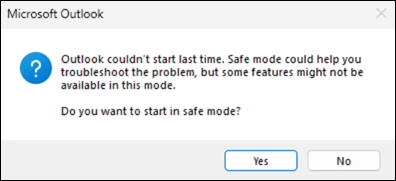
On Monday, Microsoft said the bug has been resolved and that a fix is rolling out with Microsoft Teams version 26058.712.4527.9297.
Microsoft advised affected users to update their classic Outlook client to the latest build, which addresses the issue. Those who can’t immediately upgrade are advised to perform an Online Repair for click-to-run installs (which reinstalls all Office applications).
Users who need to stay on the older build of Office they’re currently using can also disable the buggy Teams Meeting Add-in as a temporary workaround by going through the following procedure:
- Open Outlook in Safe Mode. To do this, hold down the Ctrl key when you start the application, or go to Open Outlook in safe mode and follow the steps.
- Select File > Options > Add-ins > Go.
- In the COM Add-ins dialog, uncheck Microsoft Teams Meeting Add-in for Microsoft Office, then select OK.
- Restart Outlook.
Last week, Microsoft also fixed a classic Outlook bug that had been triggering 0x800CCC0F and 0x80070057 errors when synchronizing Gmail and Yahoo accounts since February 26.
Earlier this year, it addressed another classic Outlook issue caused by the December 2025 updates that prevented Microsoft 365 customers from opening encrypted emails.
Microsoft is also investigating a bug that causes “Can’t connect to the server” errors when creating groups in classic Outlook if Exchange Web Services (EWS) is enabled for the tenant.
Another issue, acknowledged by Microsoft almost two months after the first user reports, makes the mouse pointer disappear for some users in classic Outlook, OneNote, and other Microsoft 365 apps.

Automated Pentesting Covers Only 1 of 6 Surfaces.
Automated pentesting proves the path exists. BAS proves whether your controls stop it. Most teams run one without the other.
This whitepaper maps six validation surfaces, shows where coverage ends, and provides practitioners with three diagnostic questions for any tool evaluation.
Related Articles:
Microsoft: Enabling Teams Meeting add-in breaks Outlook Classic
Microsoft fixes bug causing Classic Outlook sync issues with Gmail
Microsoft investigates classic Outlook sync and connection issues
Microsoft says bug in classic Outlook hides the mouse pointer
New KB5085516 emergency update fixes Microsoft account sign-in